
Weather Wardrobe
My Comfort Outfit
A gentle app that helps you record the weather and how it felt to you.
It guides you toward choosing the outfit that fits your day—without stress.


Coming later this winter
1. When this app quietly helps you
- On mornings when you wonder, “Is it cold? Warm?”
- When the weather alone doesn’t tell you how you might feel
- When you can’t remember what outfit felt comfortable last time
- During seasonal changes when choosing clothes becomes tricky
This app softly supports your everyday routines,
making your mornings just a little lighter.
2. What you can do with this app
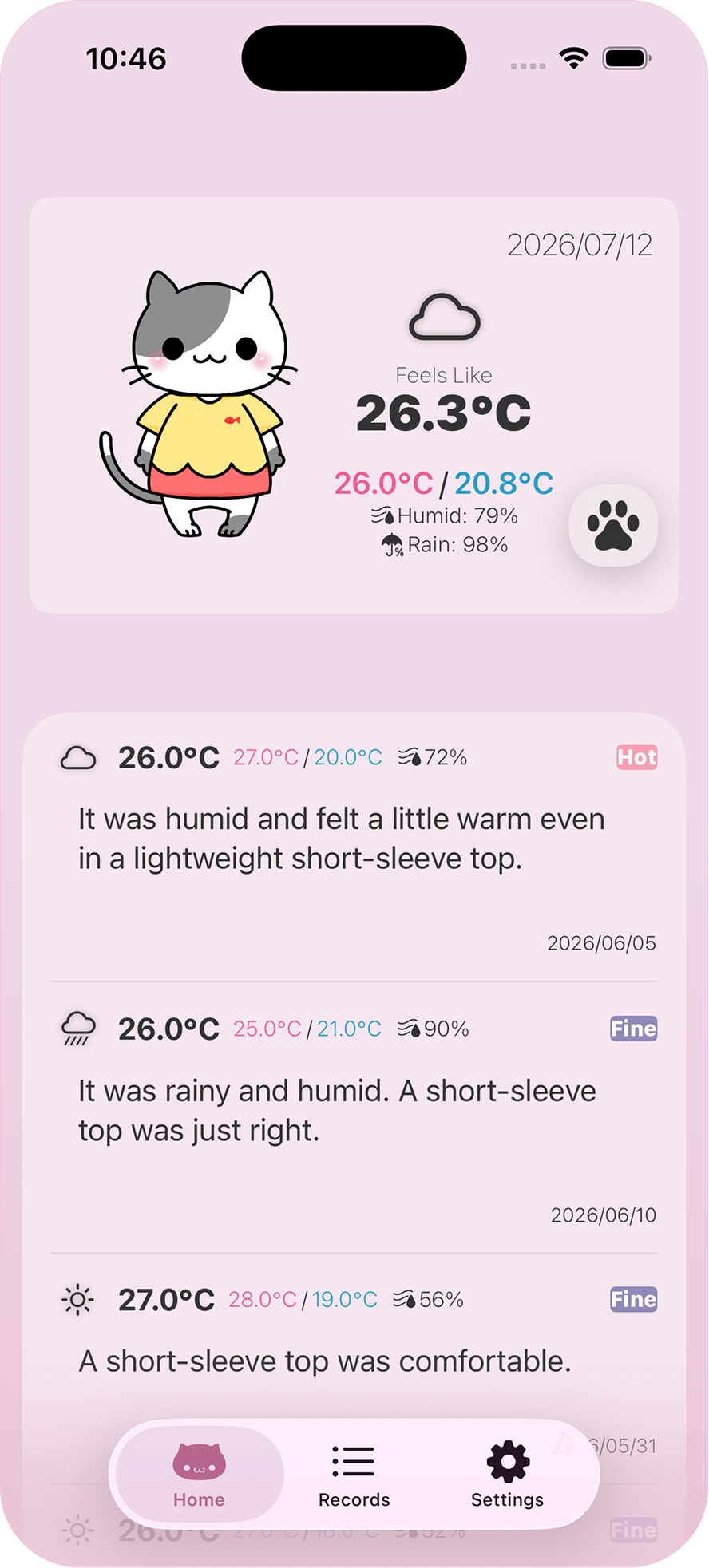
- Easily check today’s weather and temperature
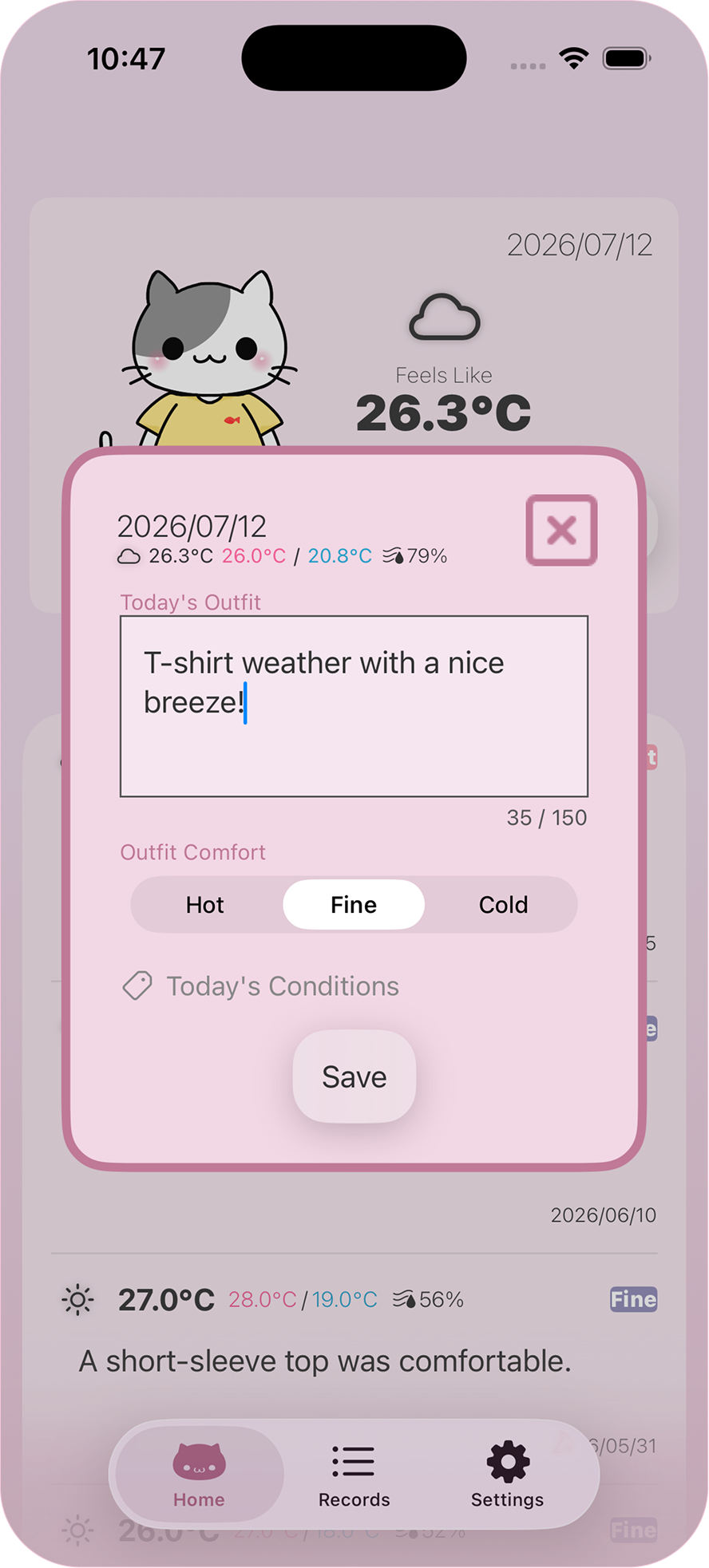
- Gently record how you felt—hot, cold, or comfortable
- Keep simple daily notes about what you wore
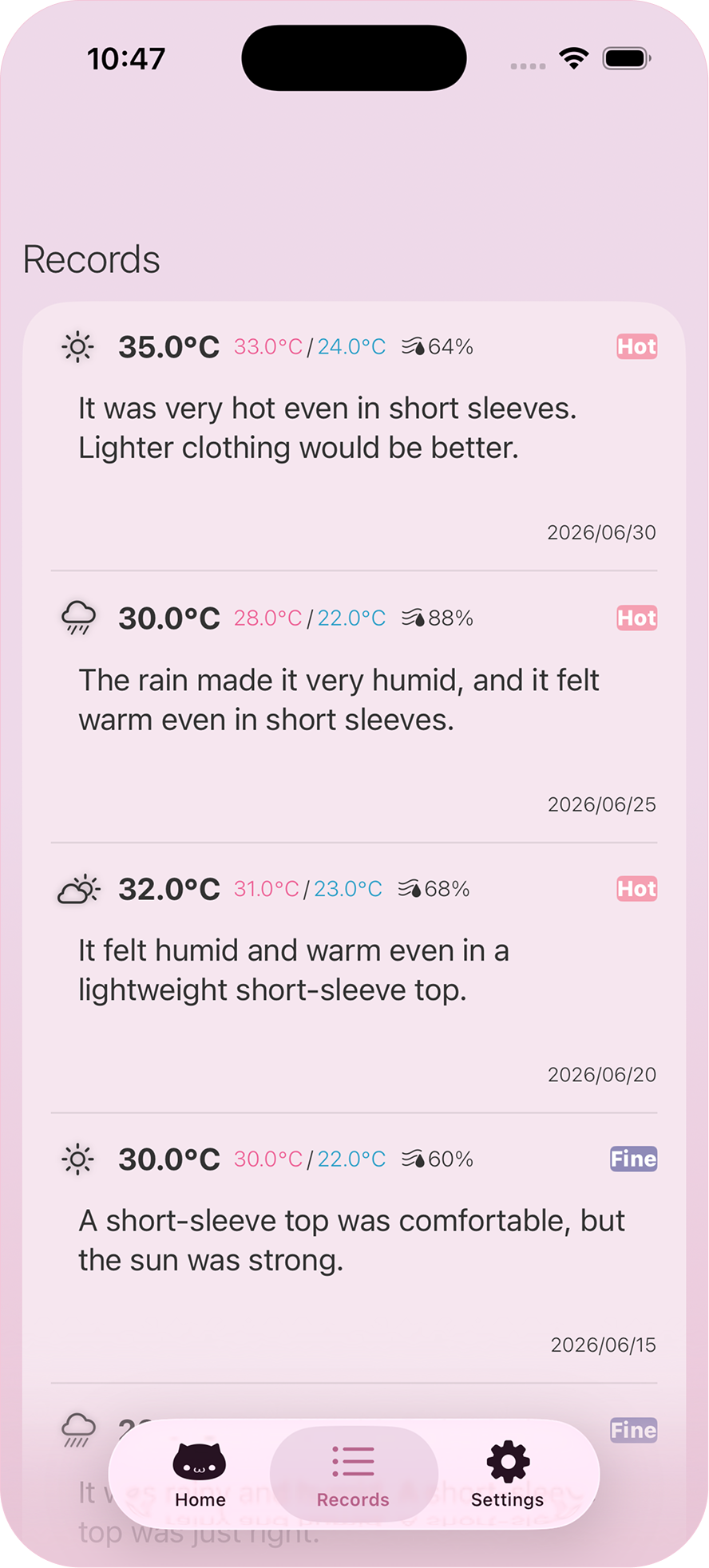
- Filter past entries by date range or feels-like temperature
- Look back at comfortable days to guide future outfits
Designed so you can use it at your own relaxed pace.
3. Main features
🌤 See the day’s atmosphere at a glance
Weather, temperature, and humidity—shown together.
It eases the small worries before heading out.
👗 Softly record your outfit & comfort
“Light knit felt just right.”
“It got a bit chilly in the evening.”
Capture small insights gently and simply.
📅 Look back on days that felt good
Your past comfort entries become hints for future outfits.
Filter entries by date range or feels-like temperature to find your own “just right,” even as the seasons change.
4. What makes this app gentle
- Your personal sense of comfort naturally builds up over time
- Saves time deciding what to wear each morning
- Fewer outfit mistakes, more comfortable days
- Helps with shopping by referencing past comfortable outfits
Small comforts quietly accumulate in your daily life.
5. Screenshots
6. How to use the app
- Morning: Gently check the day’s weather and air
- Before heading out: Make simple notes about what you wore and how it felt
- Later: Look back at comfortable days to help choose tomorrow’s outfit
The more you use it, the better you understand what feels right for you.
Frequently Asked Questions (FAQ)
📍 How is my location information used?
Weather Wardrobe uses location information to retrieve weather for your current area.
When retrieving weather for your current location, the necessary location information is sent to NekotApp's weather service. The service runs on Cloudflare's cloud infrastructure and retrieves weather information from Open-Meteo.
NekotApp does not store the submitted location information as a history of your movements. You can turn location access on or off at any time in your iPhone settings. When it is turned off, the app shows the weather for Tokyo Station.
📍 Does the app continuously track my precise location?
No. The app does not continuously retrieve your location in the background. It uses location information when retrieving weather for your current location.
📍 Can other users or NekotApp see my location?
Your location is not shared with other users.
Location information sent to retrieve weather is not stored in NekotApp's database, and NekotApp does not provide a feature for listing or viewing your past locations. Technical information may nevertheless be processed by the service providers for communications and service operation. Please see the Privacy Policy for details.
☁️ Why is there a limit on the number of weather checks?
To comply with the weather API’s constraints and to ensure the app runs reliably.
🔄 How can I reset the weather check count?
You can watch an ad to reset it immediately, or wait until the next day (00:00 JST), when it resets automatically.
📦 Where is my data stored?
Records added in the app, including weather information, are stored on your iPhone.
When retrieving weather for your current location, the necessary location information is sent to NekotApp's weather service. Please see the Privacy Policy for information about data processed for advertising and analytics.
☁️ Where does the weather information come from?
Weather information is retrieved from Open-Meteo through NekotApp's weather service.
NekotApp's weather service uses Cloudflare's cloud infrastructure. Cloudflare handles service communications, execution, and security processing, while Open-Meteo provides weather information for the requested location.
👗 Are my outfit details or notes sent to the weather service?
No. Outfit details, tags, notes, comfort ratings, and other records are not sent to NekotApp's weather service or Open-Meteo to retrieve weather.
Weather requests send the location information and other technical information necessary to retrieve the weather.
📍 Is my location information stored?
NekotApp does not store location information submitted to retrieve weather in a database as a history of your past locations.
Cloudflare and Open-Meteo may process technical information for communications, security, abuse prevention, and service operation. Please see the Privacy Policy for details about how each provider handles information.
📱 Will my data transfer when I change devices?
The app’s data is stored locally on your iPhone. If you set up your new device using an iCloud backup or Apple’s “Quick Start” transfer, your data will be carried over automatically.However, if you reinstall the app or install it on a new device without restoring from a backup, your data will not be transferred.
👗 Do I need to write detailed outfit notes?
Simple notes are perfectly fine. Just enough for you to remember later.
🌡️ Why does the app sometimes show a higher temperature than the day’s actual high?
Because the app uses “feels-like temperature,” which reflects how warm or cold the air actually feels based on wind, humidity, and more.
✏️ Can I edit past entries?
Not at the moment, but we’d like to add this feature based on user feedback.
🔍 Can I filter my past entries?
Yes. On the records screen, you can filter past entries by date range or feels-like temperature.